
Turn Your Printer Into a Photocopier
Photocopier is a lightweight, free Windows utility designed to transform standard printers and scanners into a functional photocopier. The software enables users to scan documents and print them directly, mimicking the behavior of a traditional copier. It is particularly useful for individuals and small offices without dedicated copiers, offering a cost-effective solution for everyday copying needs.
The tool is ideal for users who rely on basic printing and scanning hardware and want to streamline document workflows without investing in additional equipment. Developed by Nico2000, the software has been available since 2007 and has accumulated over 56,000 downloads, indicating consistent use over time. Its primary function remains focused on simplifying the copying process through a straightforward interface.
The program is especially suited for users in Poland, Pakistan, and the Russian Federation, where it has seen high installation rates. It supports older Windows systems, making it accessible to users with legacy hardware.
Key Features & Capabilities
- Scan-to-Print Integration – Enables users to scan a document using a connected scanner and immediately print a copy, eliminating the need for intermediate file storage.
- Minimal System Footprint – At just 315 KB, the software requires less storage than the average utility, making it ideal for older or low-resource systems.
- Compatibility with Legacy Windows Systems – Designed to run on Windows 2000 and earlier versions, supporting users who still rely on outdated operating systems.
- Simple Workflow Automation – Reduces manual steps by combining scanning and printing into a single operation, improving efficiency for routine copying tasks.
- Free to Use – No licensing fees or hidden costs, allowing unrestricted access for personal and professional use.
These features allow users to perform quick document duplication without the need for specialized hardware. For example, a small business owner can scan a contract and print a copy in seconds, or a student can duplicate notes from a textbook using a home printer and scanner. The software’s design prioritizes functionality over complexity, ensuring that even non-technical users can operate it effectively. The developer did not specify additional advanced features such as batch processing or image enhancement.
User Interface, Workflow & Performance
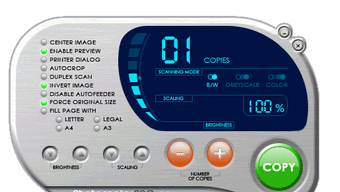
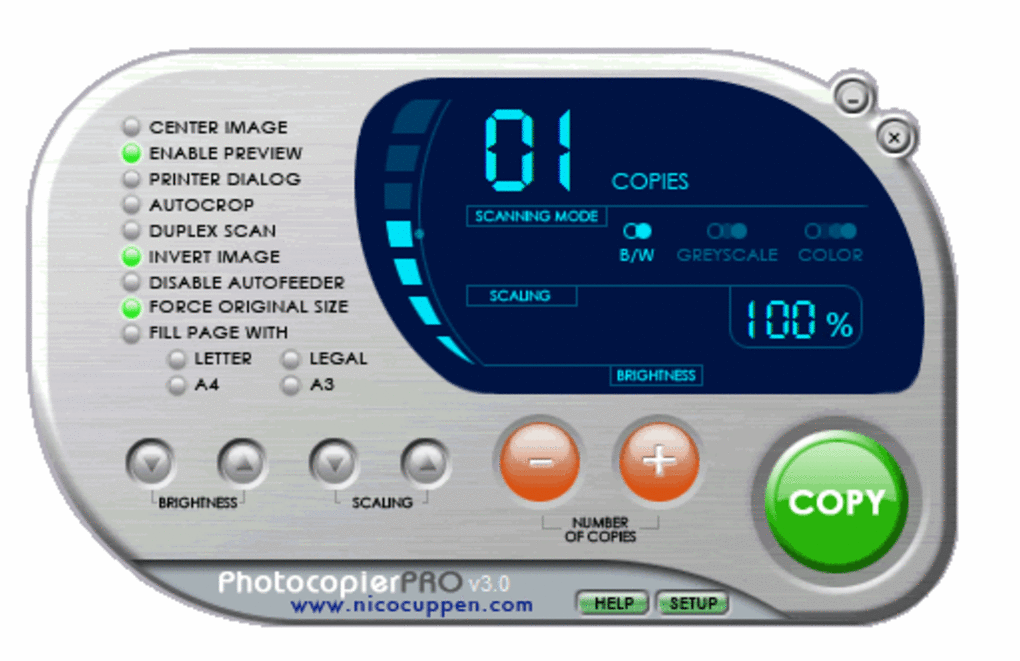
The user interface of Photocopier is minimalistic, focusing on core functionality without visual distractions. Navigation is straightforward, with a central window that displays scanning and printing controls. Users are prompted to select a scanner and printer before initiating a copy, ensuring compatibility with available hardware. The workflow is linear: scan → preview → print, which reduces cognitive load and supports rapid task completion. The software does not include customizable layouts, advanced settings, or multi-tab interfaces, reflecting its utility-focused design.
Performance observations are based on general software behavior patterns. The program runs efficiently on systems meeting the minimum OS requirements. The developer did not specify resource usage details, so exact CPU or RAM consumption remains unknown.
Stability is implied by its long-standing presence in the software catalog, with no reported widespread crashes. However, the developer did not provide information on long-term reliability or error handling during scanning failures. The installer previously had issues on some Vista machines, which were resolved in version 3.09.
Compatibility & System Requirements
Photocopier is designed to run on Windows 2000 and prior versions of the operating system. This includes Windows Millennium Edition, Windows 98, and Windows NT, though specific support for each variant is not detailed. The software has a file size of 315 KB, which is significantly smaller than the average program in the Software Utilities category. The developer did not specify exact hardware requirements such as processor speed, RAM, or disk space beyond the file size. Compatibility information was partially provided, with no mention of 64-bit systems or modern Windows versions like Windows 10 or 11.
Users on newer operating systems may encounter compatibility issues, as the software was last updated in 2009. The installer was previously reported to issue errors on certain Vista systems related to file registration, but this was fixed in version 3.09. For users with modern hardware and current OS versions, the software may not install or function properly without compatibility mode or third-party workarounds.
Pros and Cons
Pros
- Free to download and use with no licensing restrictions
- Extremely lightweight at only 315 KB
- Works on legacy Windows systems including Windows 2000 and earlier
- Simple, intuitive interface focused on core copying tasks
- Effective for users without access to dedicated copiers
Cons
- No support for modern Windows versions beyond Windows 2000
- Limited to basic scan-to-print functionality without advanced features
- Exact system requirements and performance metrics were not specified
- Not compatible with 64-bit operating systems
- Outdated interface design may feel unfamiliar to new users
Is Photocopier safe to download and use?
Yes, Photocopier is a free software program that has been available since 2007 and has been downloaded over 56,000 times. It is distributed by Nico2000 and does not contain known malware or intrusive components. However, due to its age and limited updates, users should ensure their systems are protected with up-to-date antivirus software.
Can I use Photocopier on Windows 10 or Windows 11?
Photocopier was designed for Windows 2000 and prior versions. It is not officially supported on Windows 10 or Windows 11. Users may attempt to run it using compatibility mode, but success is not guaranteed and may require additional troubleshooting.
Does Photocopier require a specific printer or scanner?
Photocopier works with any scanner and printer that are recognized by the underlying Windows operating system. It does not require proprietary hardware or specific models, as long as the devices are compatible with the OS.
How often does Photocopier receive updates?
The last update was released on February 4, 2009. Since then, no new versions have been published. The software is considered stable but no longer actively maintained.
Is Photocopier available in languages other than English?
Photocopier is available in English, as stated in the official description. There is no information on support for additional languages.
Final Thoughts + CTA
Photocopier remains a reliable, no-cost solution for users with older Windows systems who need to duplicate documents using standard printer and scanner hardware. Its lightweight design and straightforward workflow make it a practical tool for small offices, students, and individuals on a budget. While it lacks modern features and compatibility with newer operating systems, its core functionality is solid and well-executed.
For those still running Windows 2000 or earlier, it offers a genuine utility that fills a niche often overlooked by mainstream software. The lack of updates is a notable limitation, but the program’s simplicity and stability ensure it continues to serve its purpose effectively. If you rely on legacy hardware and need a basic photocopier alternative, this tool delivers without compromise.
Download Photocopier now







